PeachTouch

From Zoom lessons to Gamified Learning Platform

Reimagining Citizen Café's Learning Experience

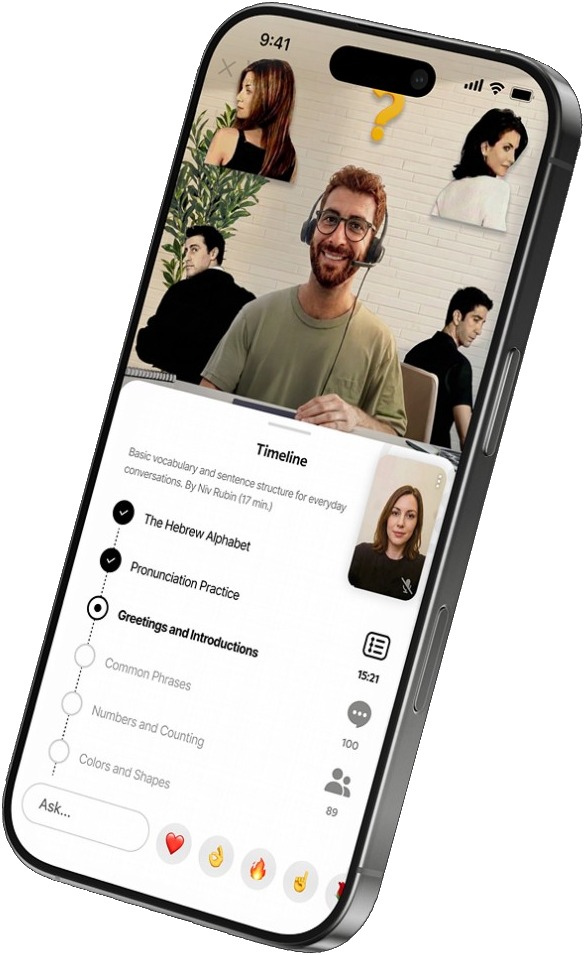
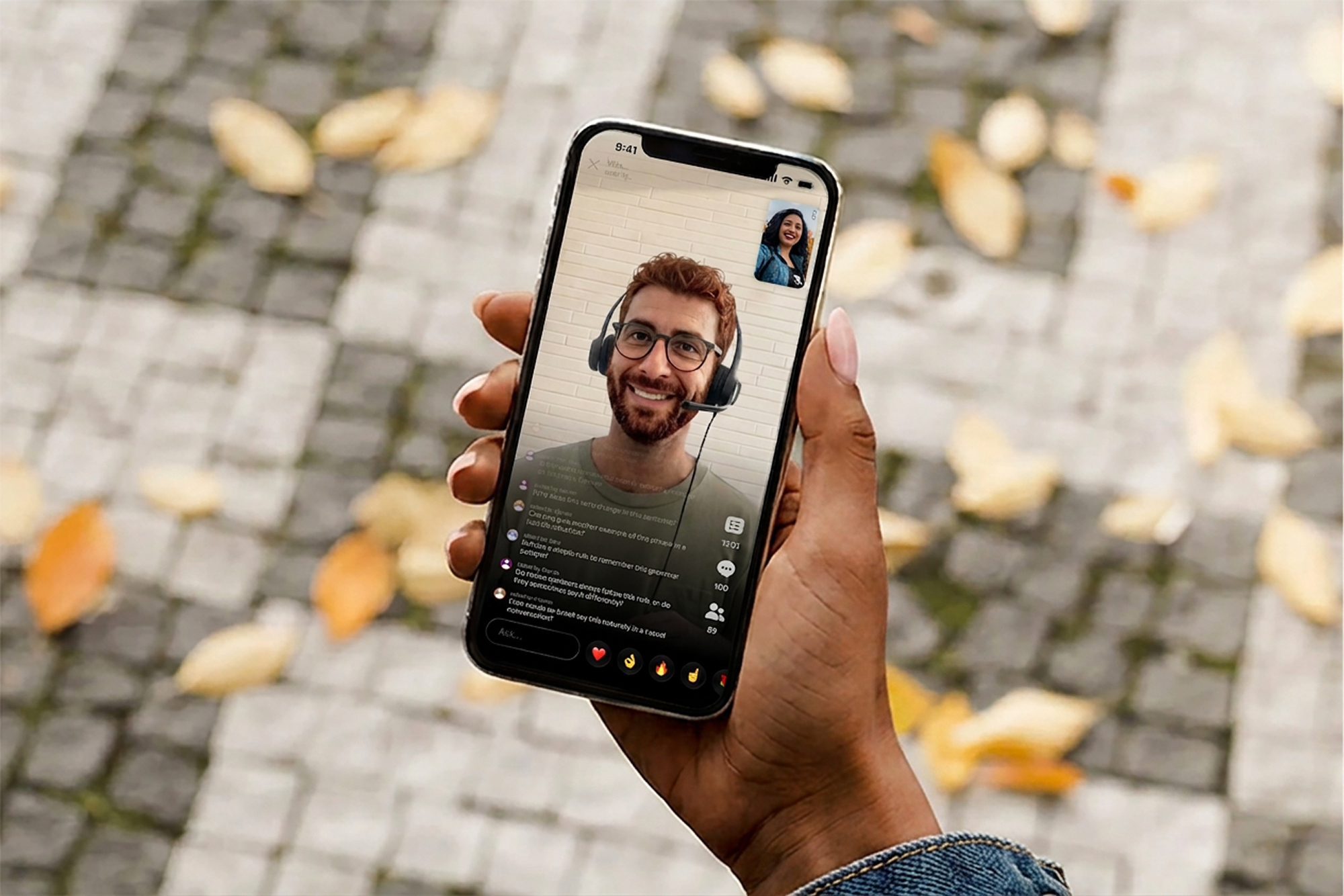
Vitamin Sessions — a live lesson with the class timeline
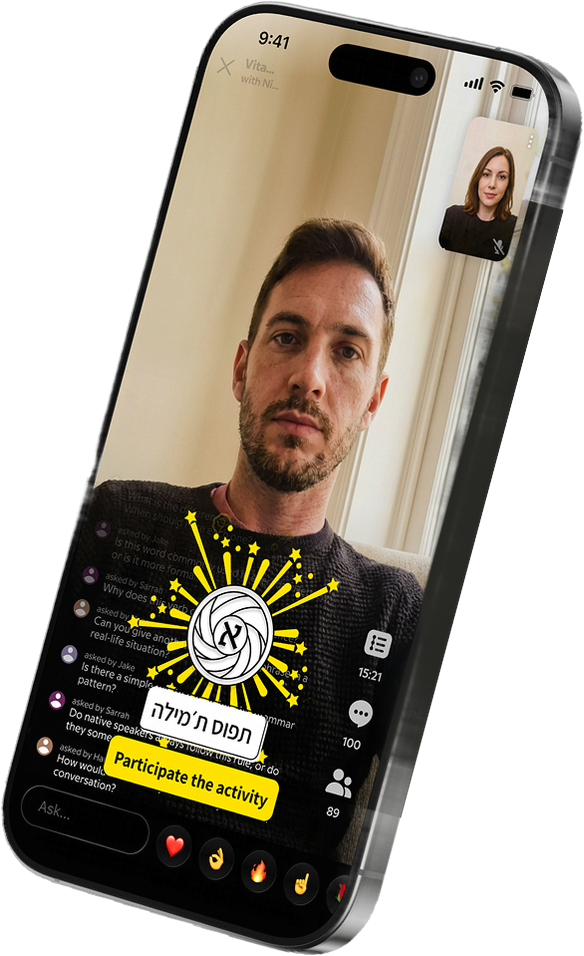
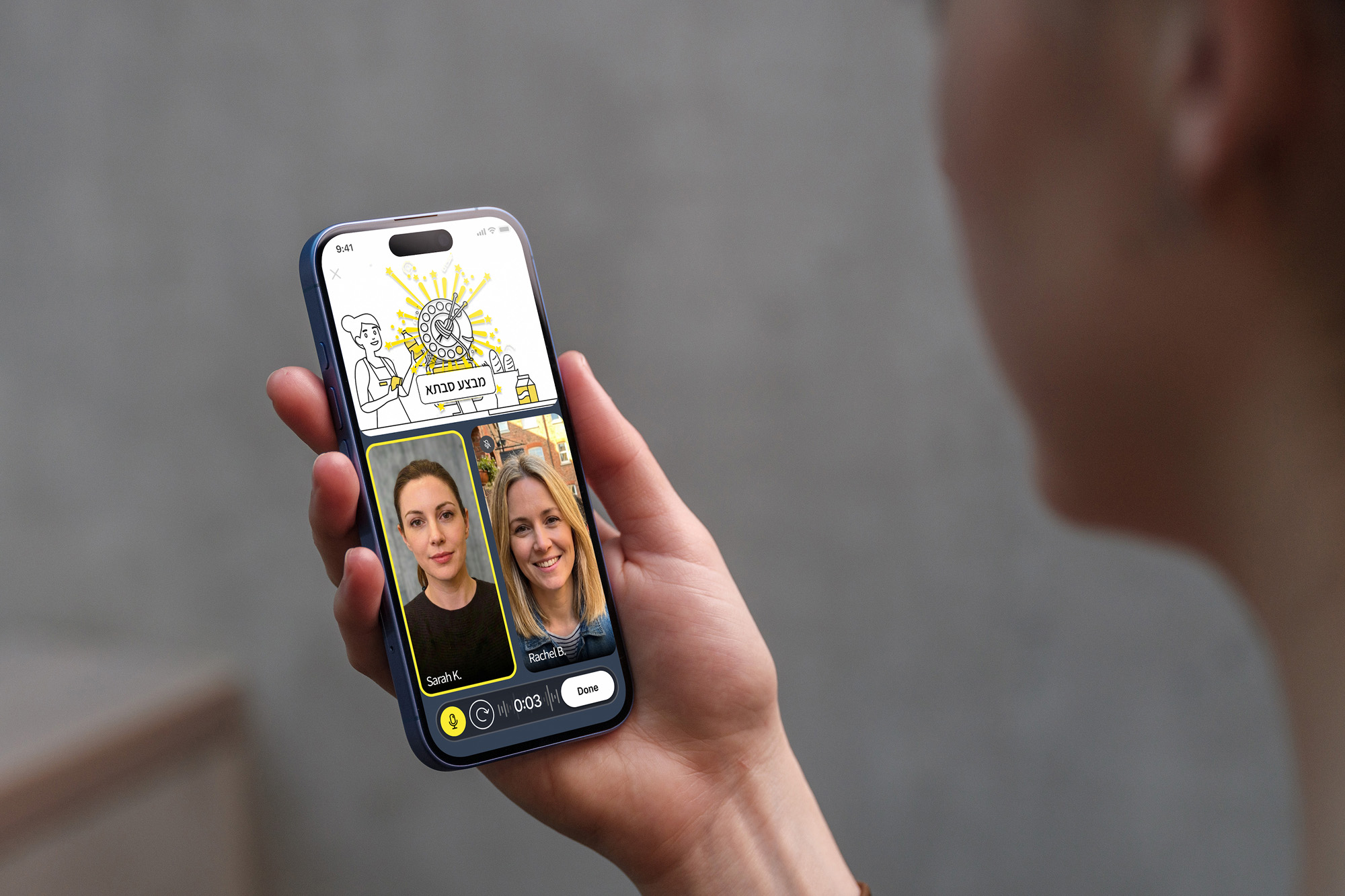
Spin and Speak — a conversation between two learners
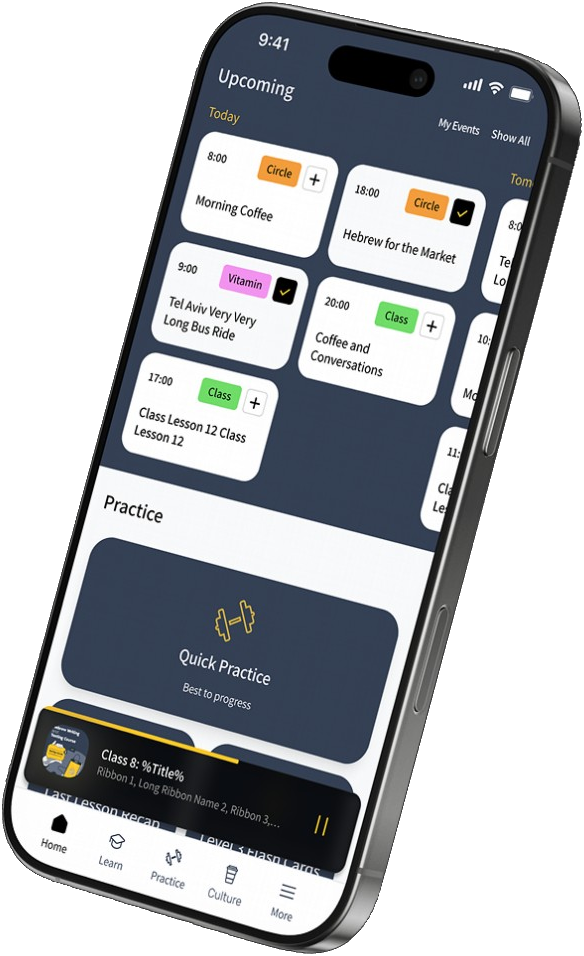
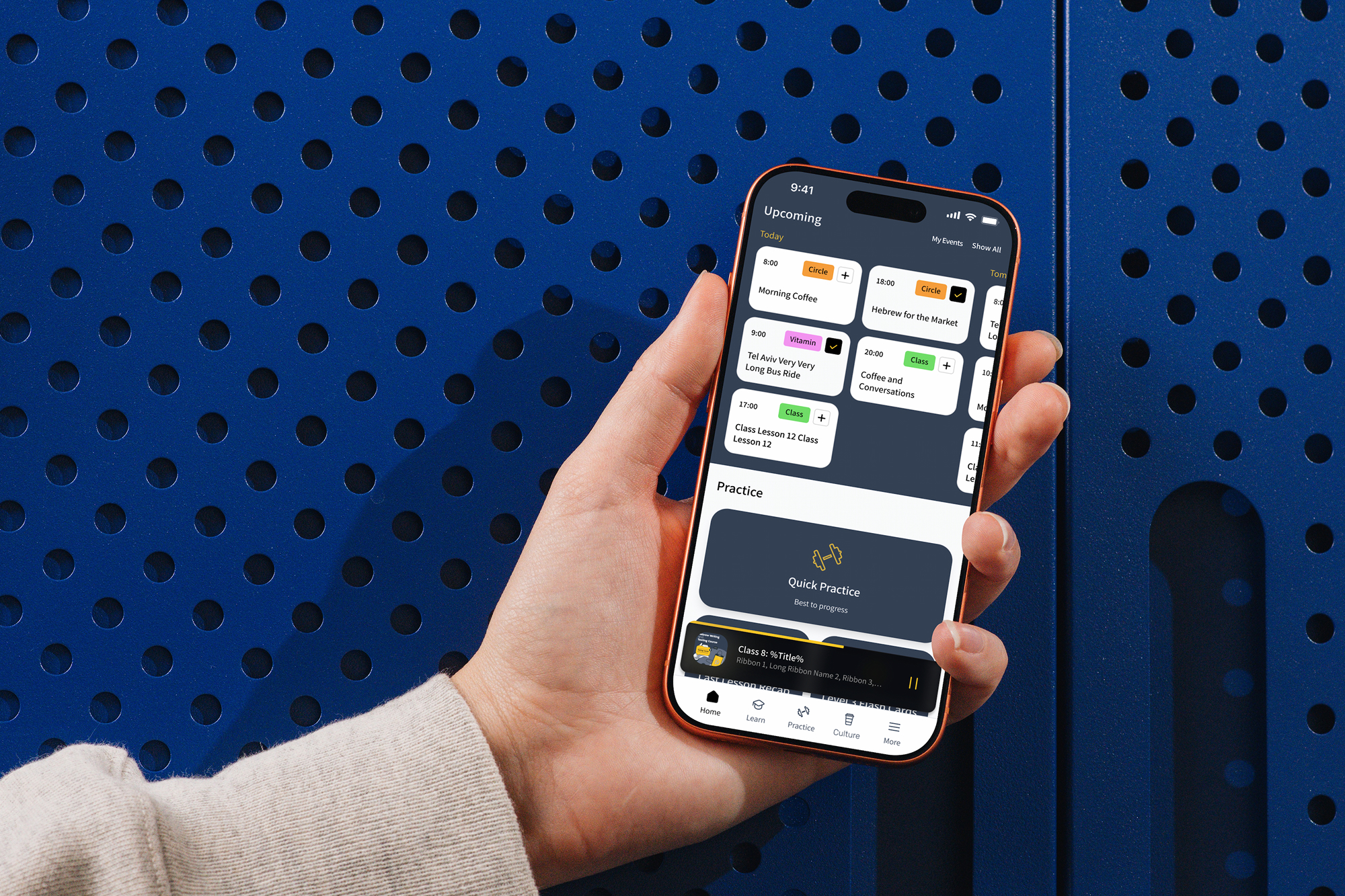
Citizen Café platform — upcoming classes and Quick Practice
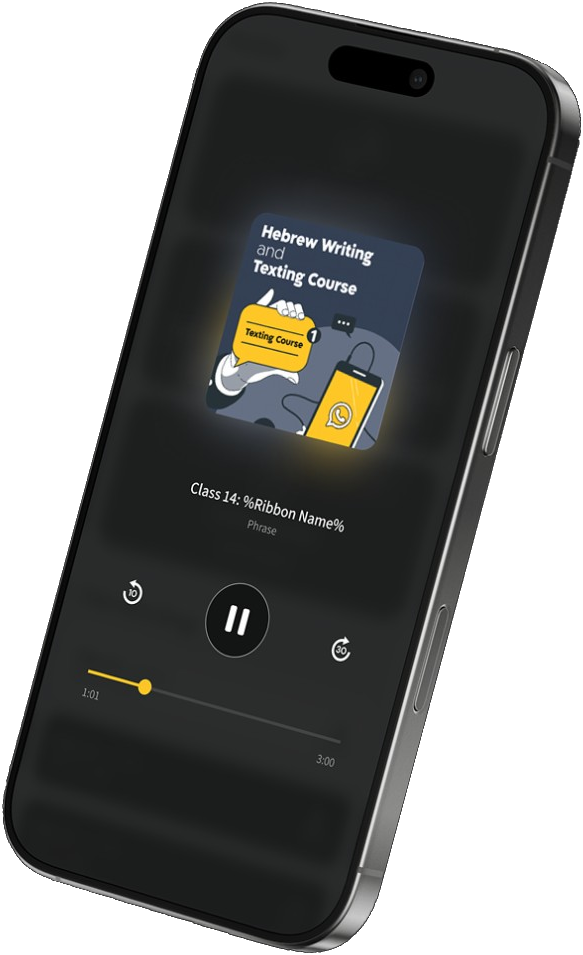
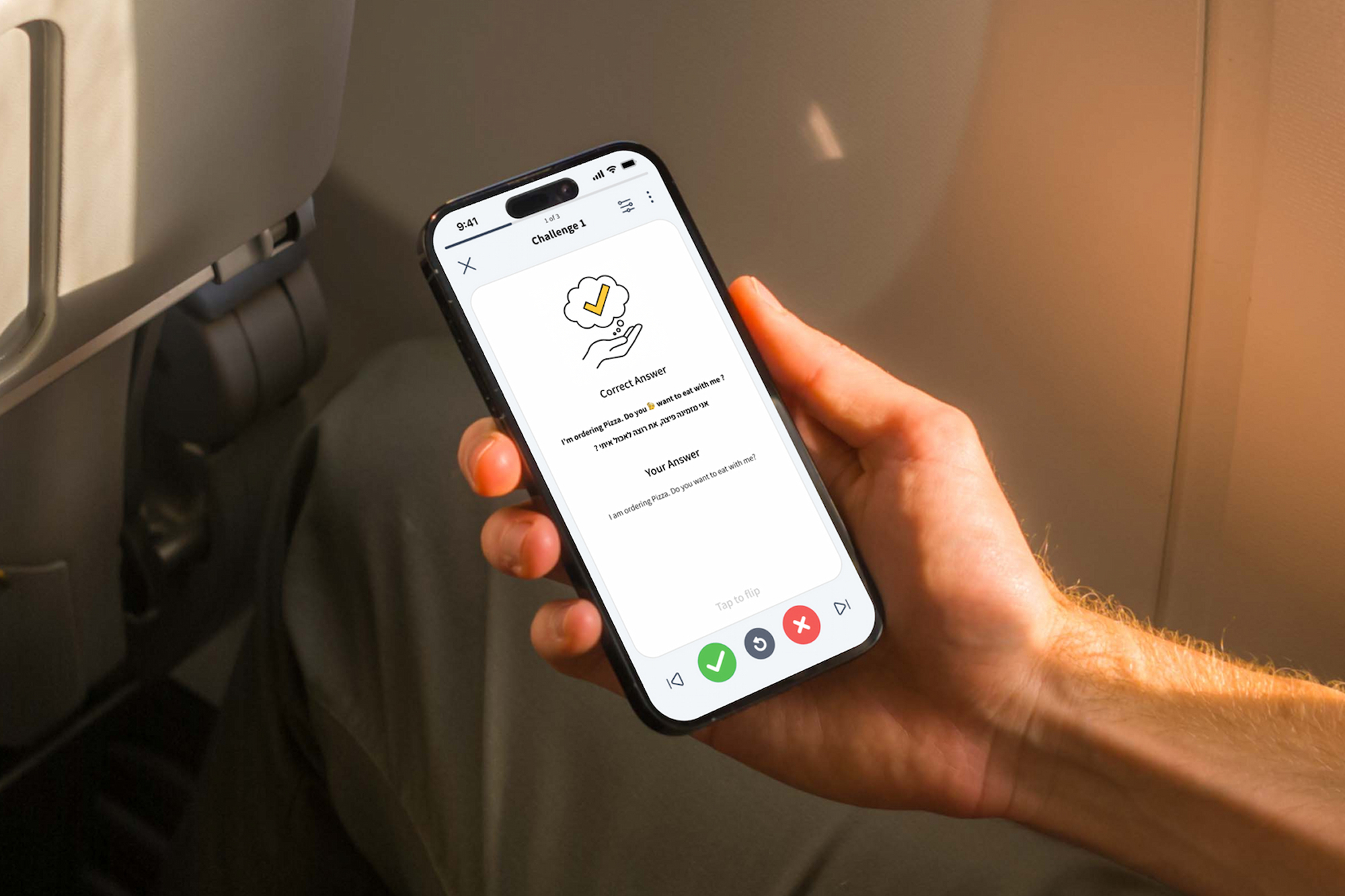
Practice to Go — the lesson player
Mobile App Website EdTech Gamification Strategy UX Research UX Design Testing & Validation UI vision
Intro

Background

Citizen Café built a distinctive Hebrew-learning experience around Zoom classes, live conversations, and Israeli culture. By 2025 the offering had extended to a digital portal with self-practice tools. The experience brought real value, but it was fragmented and limited by Zoom's interactivity.

Overview

My mission was to allow Citizen Café's education model to evolve into a cohesive, engaging digital platform — one that could delight current class students while opening the experience to a new self-serve subscribers audience.

Intro

Overview

My mission was to allow Citizen Café's education model to evolve into a cohesive, engaging digital platform — one that could delight current class students while opening the experience to a new self-serve subscribers audience.

Scope & Deliverables

Citizen Café Platform

Transformed the class students' portal into a SaaS learning platform

Citizen Café Platform — product screens for the learning platform.

Spin & Speak

Designed a new feature for one-to-one conversation practice

Spin & Speak — one-to-one conversation practice screens.

Vitamin Sessions

Designed a new feature for interactive live lessons

Vitamin Sessions — live interactive lesson screens.

Practice to Go

Redesigned the existing self-practice tools

Practice to Go — self-practice tool screens.
Intro

Scope &
Deliverables

Citizen Café Platform — product screens for the learning platform.

Citizen Café Platform

Transformed the class students' portal into a SaaS learning platform

Spin & Speak — one-to-one conversation practice screens.

Spin & Speak

Designed a new feature for one-to-one conversation practice

Book a demo
Vitamin Sessions — live interactive lesson screens.

Vitamin Sessions

Designed a new feature for interactive live lessons

Book a demo
Practice to Go — self-practice tool screens.

Practice to Go

Redesigned the existing self-practice tools

Book a demo
  • One experience for very different learnersThe platform had to serve multiple personas and learning levels through one coherent experience. Students, teachers, stakeholders, and usage data each pointed to a different priority.
  • More ways to learn, less clarityTeachers used to guide students' next steps, but the expansion of live products made this too costly to sustain. Students risked becoming confused and missing the sessions that mattered.
  • Progress without a curriculumSaas subscribers needed the freedom to learn at their own pace outside of class, while still having a clear path, visible progress, and enough guidance to stay motivated and complete each level.
  • Increase user stickinessStudents who finished a class had nowhere to stay connected to Hebrew and Israeli culture — and no reason to come back.
Problems & Goals

The Platform
Challenges

Research and key findings

Business Discovery

Met with Citizen Café's founders and the Heads of Product and Marketing to align on strategic goals, expected business impact, and the value proposition.

Pedagogical Insights

Met with the school director and teachers to understand the education system, gaps, edge cases, and pedagogical vision, for example, no grades, scores, or comparison between students.

Student Survey & Card Sorting

With the product team, surveyed students to validate needs across contexts and levels, then used card-sorting to prioritise those needs.

Product Usage Analysis

Drilled into existing data to validate solution proposals and uncover gaps between assumptions and actual student behaviour.

Competitive Analysis

Because no single competitor offered the same end-to-end experience, I broke the research into key product areas and analysed relevant products for each: self-paced practice, scheduled sessions, podcasts, progression systems, and community features.

  • Scattered resources and touchpointsResources, content formats, and student touchpoints were spread across multiple places.
  • No clear position or next stepStudents lacked a clear view of their current position and next step in the journey.
  • Disorganised on-demand contentOn-demand content was not well organised or easily accessible.
  • Limited access outside sessionsStudents wanted more flexible access to practice and lesson content outside sessions.
  • Lack of speaking and communityLack of speaking and community opportunities.

Some learning-system and content-related findings are omitted to protect Citizen Café's intellectual property.

Key insight

Students need one mobile-first hub to find relevant learning materials and connect with peers to practice speaking and share Israeli cultural content.

Mobile-first home base

App-based learning was the highest-rated format among students.

Portrait-first layout

A study analysing ~6.4M video-call sessions found 74.6% preferred portrait mode for sessions under 45 minutes, despite landscape being available.

Clear progress and next steps

Students need an intuitive view of what they've completed, where they are, and what they can do next.

Easy access to speaking practice

Live speaking practice outside scheduled sessions was a key unmet need.

Find community opportunities

Students need simple ways to stay connected to the language and engage with peers around Israeli cultural content.

Research

A focused
discovery cycle

To shape a more effective and engaging solution, I ran a focused discovery cycle to map the current student experience, identify pain points and opportunities, and understand technical constraints.

Product Design Strategy

Product Design Strategy

This approach allowed us to deliver a focused V1 without creating an experience that would need to be redesigned as the platform expands.
  • Mobile, portrait-firstAlthough existing usage data showed stronger desktop use, research identified that students strongly wanted an easier way to learn on the go.
  • Designed for scaleCreate low-fidelity flows for the full release first, ensuring a consistent future experience.
  • Step by step design deliveryReduce the full solution to the V1 scope, then develop those flows in high fidelity.
  • V1 (MVP)
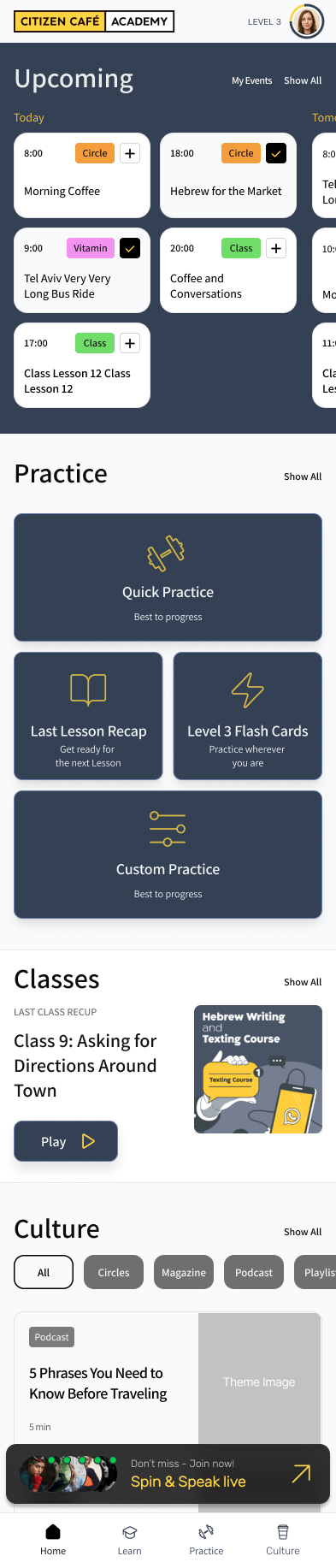
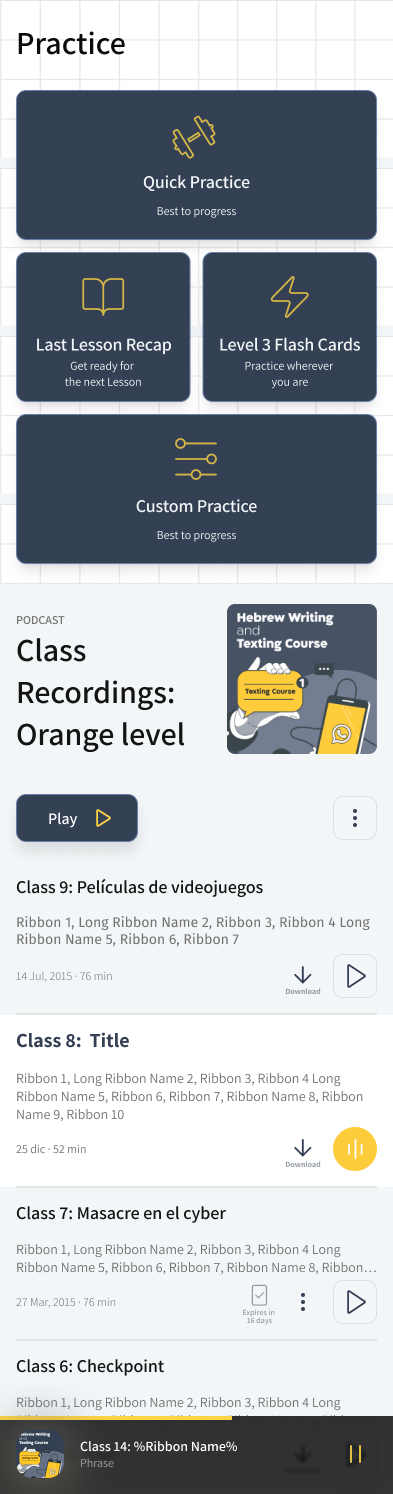
    Class-student homepage V1: Practice shortcuts and a class-recordings list.
  • V2
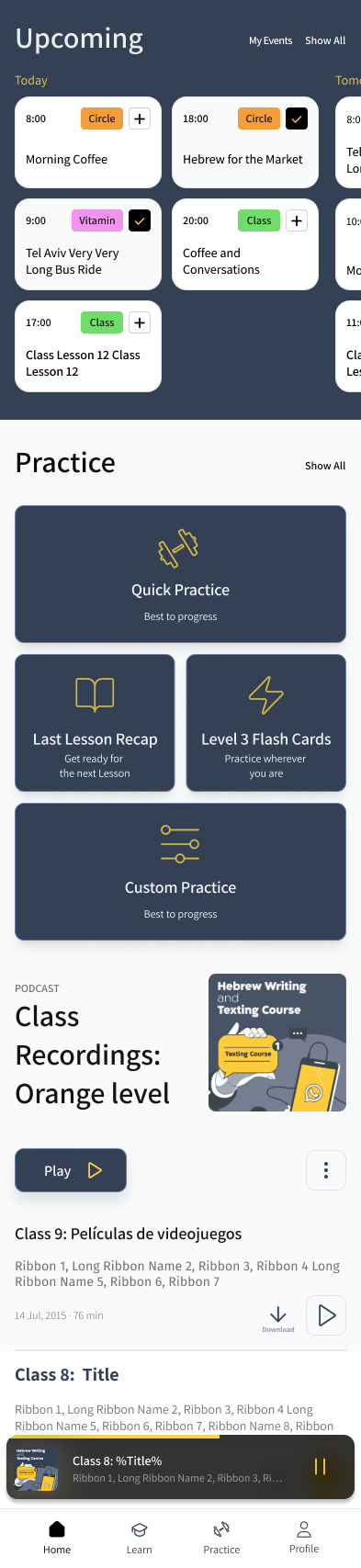
    Class-student homepage V2: Upcoming schedule above Practice, with bottom navigation.
  • V4
    Class-student homepage V4: branded header, Upcoming, Practice, Classes, and Culture.
Personas

Student profiles

Class Student

A highly motivated student following a structured, teacher-led course.

Core needs

A clear weekly structure, visible milestones, and support not to fall behind

Example goal

Make small talk with an Israeli business partner within three months.

Pain point

Missing lessons can create gaps that make it hard to keep pace with the class and complete self-practice.

Prioritised activities matrix

Class Student Trial Subscriber Paid Subscriber Former Student
  1. Attend Live Classes
  2. Access Self-Practice
  3. Reinforce class materials
  4. Practice Live Speaking
  5. Participate Live Learning Sessions (Interactive mode)
  6. Consume Cultural Content
  1. Participate Live Learning Sessions (Interactive mode)
  2. Access Self-Practice
  3. Access Class 1 example materials
  4. Consume Cultural Content
  1. Watch Live Learning Sessions (View-only mode)
  2. Access Self-Practice (first 2 levels only)
  3. Practice Live Speaking
  4. Consume Cultural Content
  1. Consume Cultural Content
  2. Access Self-Practice (reached levels only)
  3. Watch Live Learning Sessions (View-only mode)
  4. Chat around content
Challenge I : Overview

One experience
for very different learners

How does one platform serve four personas without fragmenting into four products?

Personas: All students (Class Student, Trial Subscriber, Paid Subscriber, Former Student)

Scope: Information Architecture, Class student homepage

Problem

The existing portal served Class Students only. The new platform had to serve four personas, across far more features and content.

The Journey Matrix, built on , showed each persona needs something different. Learning level adds a second axis on top.

Requirements

  • Intuitive navigationStudents can easily understand the navigation principles and get to the required action fast.
  • Single experienceEvery student finds the same navigation, whatever their state or level. Students who convert from one persona to another should not have a different experience.
  • Relevant contentWhat each student sees is filtered to their persona and level.
  • Obvious next actionThe platform points to the most relevant thing to do now.
  • Scalable experienceThe structure supports new content and session types without redesigning navigation.
Challenge I : Solution

Shared vs. Personalized Information Architecture

Bridging students' and business needs, I defined the principles that shaped the content organization across the platform:

  • Product core firstLive sessions get top priority. They're what makes Citizen Café's teaching system distinctive.
  • Timeline leadsScheduled live sessions of all types are ordered by time, closest session first.
  • Single structure, tailored contentStructure is the same for everyone, while page content is personalized.
  • Room to growThe model extends to features the platform doesn't have yet, without redefining the navigation experience.

From there, I built the sitemap, covering four shared student needs that fully covers Citizen Café's offering:

  • Homecurrent learning context and the most relevant next action
  • Learnlive sessions, schedules, bookings, reinforcement materials
  • Practiceself-practice and Speech Practice tools
  • Immersecultural content and meetups (later renamed Culture after usability testing)

All four sections are available to every persona; what differs is the content inside them.

To motivate students to progress or convert, every feature is visible even where access hasn't been earned yet. Students see unavailable features as locked.

Note: Class materials are the exception — they stay hidden rather than locked.

Focusing on a single platform experience, I designed three modules that surface each student's next relevant step.

  • Homepage Layout is individual to each persona, built around their main learning driver:
    • Class Students see live classes and session schedules, a self-practice shortcut, and class materials
    • Subscribers see their learning path
    • Former Students see live session schedules and cultural content
  • Spotlightpersistent, high-visibility module showing the most relevant action for the student's current point in the journey.
  • Announcementcontextual module shown at set moments (app login, level promotion) to introduce newly added features, sessions, or meetups.

Note: All platform features are managed via the back office, with persona- and level-based configuration.

Challenge I : Validation

Testing & Iteration

I ran usability sessions with internal SMEs and student focus groups to test whether the UX was clear, easy to navigate, and fast to act on.

  • Navigation structureIs the four-section split clear? How quickly do students reach the content they want?
  • CalendarUsing a prototype, I tested whether the displayed data made sense, whether it was enough to book a session, and how easily students could tell session types apart, book, and cancel.
  • Self-practice accessHow easily do students start a practice session, and is the presentation of practice tools clear?
  • SpotlightIs it visible enough, and does it get students to content faster?
  • Overall navigation worked wellstudents quickly found the right actions and gave strong positive feedback on the design.
  • Microcopy matteredicons alone weren't enough. Main navigation and live sessions needed labels, and 'Immerse' wasn't clear.
  • The calendar needed reworkstudents asked to see more events on the initial view, and not all displayed data made sense.
  • Spotlight did its job wellin most of the cases but disrupted some students.
  • Revised main navigationlabels added for clarity.
  • Improved microcopy'Immerse' changed to 'Culture'; session type icons replaced with labels.
  • Rebuilt the calendar viewmore events shown, teacher photos and theme images removed, color added to distinguish session types.
  • Added a minimize option to Spotlight.

At handoff the platform entered development.

  • Targeted contentExpand personalization depth as usage data comes in
  • SpotlightSettle whether Spotlight should be persistent or triggered by specific events, e.g. level upgrade
  • CalendarContinue calendar testing on booking clarity
  • Task success rate% of students who complete key actions without help
  • Time on taskhow long it takes to reach a booking, a practice session, or class materials
  • Navigation efficiencyclicks to key actions, compared across personas
Challenge II : Overview

More ways to learn,
less clarity

As the learning experience expanded, students needed support to combine live learning with flexible practice without feeling overwhelmed or missing relevant opportunities.

Persona: Class Students

Scope: Scheduling & Notification system

Problem

Initially, learning centered on classes:

  • Teachers guided students’ next steps during class and through RSVP emails and WhatsApp.
  • Between classes, students used the Practice to Go and Flashcards self-practice tools.

Through student interviews and conversations with teachers and the internal team, I found that the new tools introduced new challenges:

  • More learning options could make students feel lost.
  • Students could miss the start of relevant live sessions.
  • Difficulty finding a partner could discourage students from using 1:1 speaking practice.

Requirements

Implement new tools that allow new ways to learn, practice and Immerse:

  • Vitamin Sessionslive, topic-focused lessons including interactive group practice
  • Spin & Speaklive 1:1 conversational practice with other online students
  • Circleslive cultural meetups
Challenge II : Solution

Proactive Guidance That Keeps Learning Moving

Teachers already guided students’ next steps during classes, through RSVP emails, and in WhatsApp groups. I expanded this proven guidance model into a built-in platform experience.

  • Step-by-step exposureTeachers continue to introduce tools gradually, based on each student’s level. The platform reinforces their recommendations by highlighting the most relevant feature at the right time.
  • Planned live, flexible practiceLive activities can be booked through an in-app calendar and added to the student’s Google Calendar.Practice remains available instantly, whenever the student has time.
  • Weekly planningA dedicated pre-scheduled planning session helps students make sure they do not miss the learning sessions they care about most.
  • Reliable participationTo reduce missed starts, notifications remind students about their booked activities.To make joining fast and simple, students can access live sessions in one tap through a direct link in a reminder notification or their calendar event.
  • Spin & Speak participationTo reduce concerns about harassment, teachers introduce the feature during Vitamin Sessions and facilitate a supervised practice activity.To ensure students have enough partner options, Spin & Speak initially runs as scheduled sessions. In the future, it can expand to on-demand availability.
Challenge II : Validation

Testing & Iteration

This solution reached design handoff without a usability round, so nothing here has been validated with students yet. Below is the plan I would run first.

  • Step-by-step exposureDo students understand which tool comes next, and does the highlighted feature match what their teacher just recommended?
  • Booking a live sessionCan students tell the session types apart, book, cancel, and get an activity into their own calendar?
  • Weekly planningDo students actually plan the week, and does planning cover the sessions they say matter most to them?
  • Reminders and one-tap joinDoes the reminder arrive at a useful moment, and does the direct link get students into the session without a detour?
  • Spin & Speak reliability & safetyDo scheduled slots hold enough partner options, does the supervised Vitamin Session introduction ease concerns about who students are paired with, and what does a student see when a partner does not show up?
  • Moderated prototype sessionsClass students across levels walk through the exposure sequence and the booking flow, thinking aloud.
  • Unmoderated task testsFirst-click and findability tasks such as ‘book your next Vitamin Session’ and ‘start practising now’.
  • Teacher interviewsConfirm the in-app highlight order matches how teachers actually introduce the tools in class.
  • Pilot cohortRun the planning session and scheduled Spin & Speak with one group, tracking bookings, attendance, and unmatched cases.
  • Reminder timing testCompare notification lead times once the platform is instrumented, to find the point that reduces missed starts.
  • Next step is obviousStudents can say what to do next, unaided, after each new tool is introduced.
  • Booking successShare of students who book a relevant live session without help, and how long it takes them.
  • Missed-start rateShare of booked sessions the student does not join.
  • Unmatched rateShare of Spin & Speak sessions that run without a partner.
  • Adoption orderShare of students who take up tools in the intended sequence rather than skipping ahead.
Challenge III : Overview

Structure without
a curriculum

Unlike Class Students, who learned through teacher-led classes, the new SaaS subscriber audience needed to manage their learning independently, choose what to study, and progress at their own pace.

Persona: Paid subscriber, Trial subscriber

Scope: Progression system, Homepage

Problem

Without classes and teacher guidance, subscribers may lack a clear path through the product. They may not know where to start or how to progress, making it harder to see the value of upgrading to a paid subscription.

All this could ultimately lead to churn.

Requirements

The progression system needed to balance student freedom, clear direction, consistent milestones and tangible progress.

  • Flexible choiceStudents can choose from multiple activities and do not need to complete every task.
  • Self-paced learningStudents can progress at their own rhythm, whenever their schedule allows.
  • Consistent learning levelsStudents should reach a similar level of knowledge before progressing to the next level.
  • Clear progress pathThe platform should clearly indicate the next meaningful action and the path to level completion.
  • Tangible progressStudents need clear, visible progress to stay motivated and continue learning.
Challenge III : Solution

Clear levels, guided tasks,
endless possibilities

Based on the , I designed this SaaS subscriber experience

SaaS subscriber homepage, full screen: numbered levels, tasks, Beats, and bottom navigation.

Note: Implementation of a platform economy, using one or more currencies, could enable greater progress flexibility in the future.

Challenge III : Validation

Testing & Iteration

The progression system is still a future concept and has not yet been tested, as there are no subscribers at this stage. Once the feature is released, the following research plan should be used to validate the proposed approach.

  • Reading the level pathCan a subscriber say what to do next, and what it takes to complete the current level, from the homepage alone?
  • Choosing tasksIs ‘complete a defined number of tasks, not every task’ understood, or do subscribers assume they must finish all of them?
  • Locked tasksDoes every locked task communicate its prerequisite clearly enough to act on, or does locking read as a paywall?
  • Levels and leaguesDo numbered levels plus colour-coded leagues stay clear, especially for students who know the class-student colour system?
  • Motivation over timeDoes visible progress actually bring subscribers back, and where in the level do they stall?
  • First-session walkthroughsModerated sessions with trial and paid subscribers on the level path, thinking aloud from first homepage view.
  • Unmoderated task tests‘What would you do next?’ and ‘How do you finish this level?’ on a static prototype, across levels.
  • Comprehension checkTest the number-and-league notation separately with class students, who already read levels as colours.
  • Pilot cohortRun one level with a small subscriber group over four weeks, tracking task choice, completion and return visits.
  • Prerequisite tuningVary how many tasks a level requires and which are locked, to find the point that guides without feeling rigid.
  • Next action is obviousSubscribers name the next meaningful action unaided, at any point in a level.
  • Level completion rateShare of subscribers who finish the level they start, and how long it takes.
  • Choice is usedTask selection spreads across the available options rather than collapsing into one fixed path.
  • Unlock clarityLocked tasks generate few support questions, and subscribers can state the unlock condition.
  • RetentionReturn visits through weeks two to four, as the early churn signal the system exists to address.

Full journey matrix

TouchpointClass StudentTrial SubscriberPaid SubscriberFormer Student
Onboarding Through school sales, via website or phone Directly through app onboarding Subscribes or converts from a trial through the app After completing a course or when subscription is over
Progress mechanics Scheduled, teacher-led curriculum. Flexible app-led self-paced path. (Limited to the first two levels) Flexible app-led self-paced path: task completion, points, or time in app. —
Prioritised primary activities
  1. Attend Live Classes
  2. Access Self-Practice
  3. Reinforce class materials
  4. Practice Live Speaking
  5. Participate Live Learning Sessions (Interactive mode)
  6. Consume Cultural Content
  1. Participate Live Learning Sessions (Interactive mode)
  2. Access Self-Practice
  3. Access Class 1 example materials
  4. Consume Cultural Content
  1. Watch Live Learning Sessions (View-only mode)
  2. Access Self-Practice (first 2 levels only)
  3. Practice Live Speaking
  4. Consume Cultural Content
  1. Consume Cultural Content
  2. Access Self-Practice (reached levels only)
  3. Watch Live Learning Sessions (View-only mode)
  4. Chat around content
Conversion options — Paid Subscriber or Class Student Class Student Trial Subscriber, Paid Subscriber, or Class Student

Research findings

From teacher interviews, the student survey and portal usage data — what should the platform be built around?

  • Class Student need

    Speech Practice was the largest gap in the learning experience.

  • Teacher perspective

    Live sessions, schedules, and class materials should lead — unlike Speech Practice, they're relevant at every learning stage.

  • Portal data

    93% of visits included self-practice tools; 12% included class materials.

  • Subscriber need

    No teacher and no scheduled classes — they need a clear, app-led, self-paced path.

  • Former Student need

    Access to cultural content and self-practice to revive their Hebrew.

  • Read the full research process

Competitive analysis findings

I analyzed progression models used by leading language-learning platforms.

  • Duolingo, Busuu, Praktikafixed, step-by-step learning paths that did not fit Citizen Café’s flexible content structure.
  • Memrise, DuoCardsflexible activity access, but limited guidance or clarity about level completion.
  • Talkpalthe closest reference, using dependencies between tasks within a level. However, its minute-based progression suited its fully individual learning model and could not ensure a similar knowledge level among learners — essential for effective group practice at Citizen Café.